

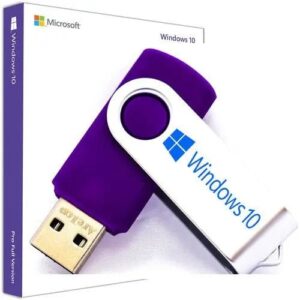
✅ Key Features:
- Boots into the official Microsoft Windows 11 installer
- Supports Home, Pro, and Education editions
- Ideal for clean installs, SSD upgrades, or system recovery
- Includes TPM & CPU bypass instructions if your system doesn’t meet official requirements
???? System Requirements:
- UEFI-enabled device
- TPM 2.0 (workarounds included if needed)
- Secure Boot (can be disabled if unsupported)
???? What’s Included:
- ???? What’s Included:
- 1x USB stick preloaded with the latest official Windows 11 All versionsPackaged and shipped from the UK
- Insert the USB into your deviceRestart and access BIOS/UEFI (usually by pressing F12, F10, or ESC)Set the USB stick as the primary boot deviceSave changes and rebootWindows Setup will launch — follow the on-screen instructions to install
- No product key included. You’ll need to enter your own or purchase one separately. When you get USB please follow the above instructions and install window with in 5 minutes. If you need any help don’t hesitate to contact us .

After trying a separate keyboard & mouse (a complete waste of £30 at a local store), I was frustrated until I got this and after changing the boot order it offered to repair or reinstall, a quick repair later and it fixed the boot issue I was having and I got my computer back!
I would 100% recommend this if you're having problems with a Windows computer!
After trying a separate keyboard & mouse (a complete waste of £30 at a local store), I was frustrated until I got this and after changing the boot order it offered to repair or reinstall, a quick repair later and it fixed the boot issue I was having and I got my computer back!
I would 100% recommend this if you're having problems with a Windows computer!